Pick up where you left off.
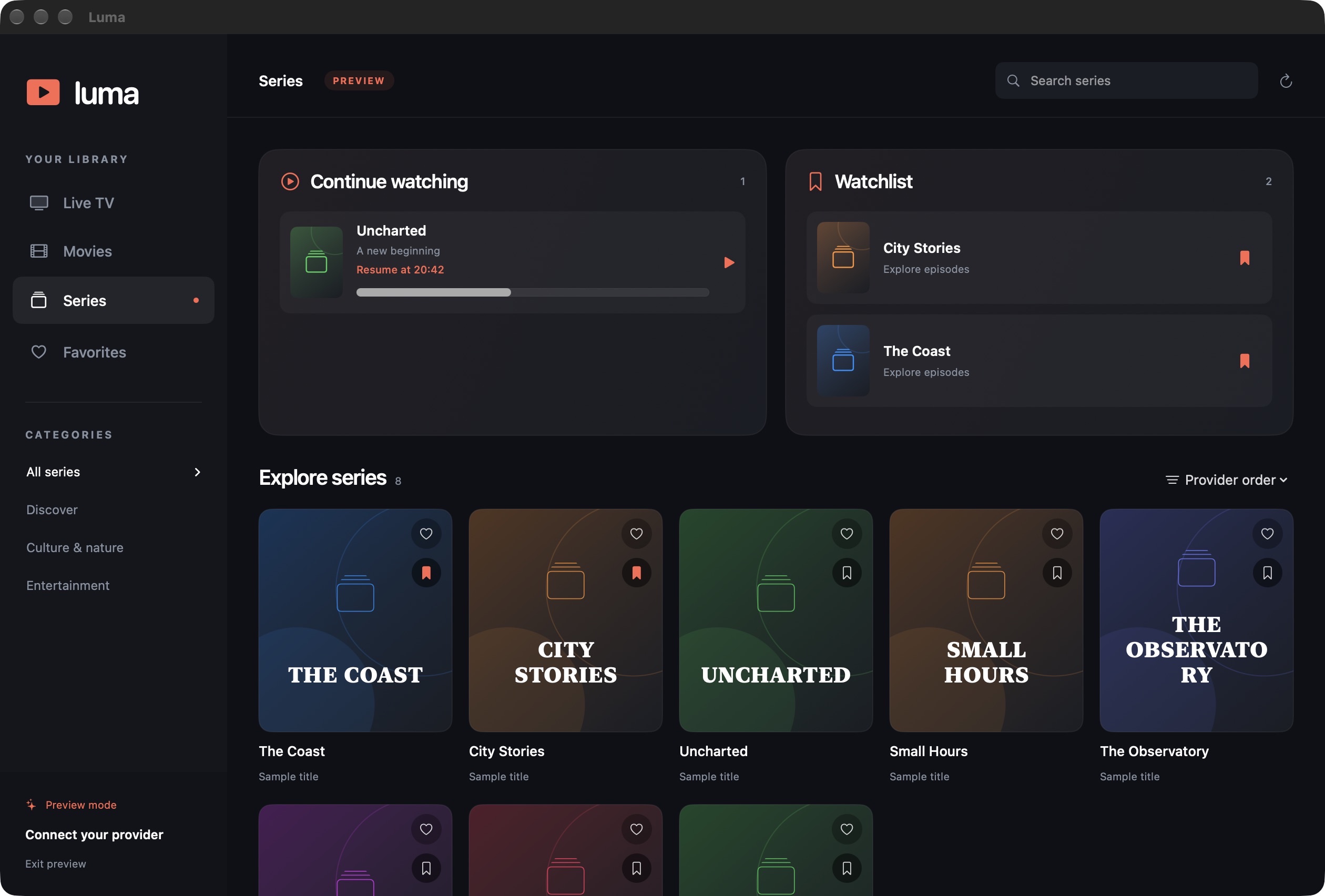
Continue watching remembers your place in a movie or episode. When the credits approach, Play next keeps your evening going.
YOUR PLAYLISTS · YOUR KIND OF EVENING
Live TV, movies and one more episode.
A beautiful home for the content you already love.
Mac: 3 days free, then €4/month · No card for the trial · Windows preview stays free
SETTLE IN
Your provider’s library, with the little things
that make it feel like yours.
Continue watching remembers your place in a movie or episode. When the credits approach, Play next keeps your evening going.
Keep a Watchlist alongside Continue watching. Bookmark a title now, find it right at the top of your library later.
Choose a subtitle or audio track. Fine-tune subtitle size, color, background, timing and position until everything feels right.
The playback engine is included. No separate VLC install or extra tools. Connect an Xtream Codes account or paste an M3U link and explore your library.
Save several Xtream Codes accounts or M3U links. Name them, switch providers from the sidebar, and keep each playlist’s favorites, Watchlist and viewing progress separate.
YOUR NEXT WATCH STARTS HERE
Mac 0.8.0 · 3-day free trial, then €4/month

Apple silicon (M1 or newer)
macOS Sonoma 14 or later
ZIP · Playback engine included · No card to start
€4/month only if you subscribe after your trial. Renews monthly until canceled. Locally signed; not Apple-notarized. See installation steps below.
Windows 10/11 · Intel or AMD x64
VLC and .NET included
ZIP · Extract the complete folder · No payment required
Free preview; paid licensing is not available on Windows. Unsigned and built on Mac; Windows playback and interface testing is still pending.
The Mac trial lasts 72 hours from choosing Start trial in Luma. Nothing is charged when it ends. A subscription covers up to two Macs and requires an internet connection to verify access. Your TV provider subscription is separate. Subscription details and billing support →
A QUICK START
Luma is a player. Bring your own
authorized TV subscription.
On Mac, open the ZIP and drag Luma to Applications. On Windows, extract the complete ZIP and run Luma.exe from the extracted folder. Keep all the included files together.
This early release isn’t Apple-notarized, so macOS may block the first launch. After trying to open Luma, use System Settings → Privacy & Security → Open Anyway if you trust this download.
Apple’s guide to opening apps ↗On Mac, choose Start my 3-day free trial in Luma, or activate your product key. Then choose Xtream Codes and enter your server address, username and password, or choose M3U link and paste your full playlist URL. Use Add playlist in the sidebar to save more providers.
GOOD TO KNOW
Mac version 0.8.0 gives you 72 hours of full access when you choose Start trial. No payment card is required and the trial never turns into a paid subscription automatically. After it ends, you can subscribe through Stripe for €4/month. Paid subscriptions renew monthly until you cancel. The Windows preview remains free. See subscription details.
Choose Luma → Luma Access… → Manage or cancel subscription. Cancel before your next renewal; access continues through the paid period. Use Copy my product key to keep a private recovery key for reinstalling or moving to another Mac. If you lose it, contact billing support.
Existing 0.7.x downloads remain free. Installing Mac 0.8.0 introduces the trial and subscription; it preserves your locally saved playlists and watch history.
No. Luma plays content from your own provider. You’ll need a working Xtream Codes account or M3U playlist link and permission to access the content you watch.
No extra player or playback tools are needed. Luma includes its playback engine. You just need a supported computer, an internet connection and your provider account.
Luma supports 4K playback and lets you select available audio and subtitle tracks. Availability, picture quality and smooth playback depend on your provider’s stream, your connection and your computer. A quality selector appears when the stream offers selectable variants.
Saved playlist logins stay in macOS Keychain or are encrypted for your Windows login with DPAPI. Watch history, Watchlist and preferences stay on your computer, with separate libraries for each provider. Luma connects directly to your provider to retrieve and play your content. Read the privacy information for more details.
Yes. Click Add playlist in the sidebar and leave Remember login enabled. Use the playlist menu to switch, and Manage playlists to rename or remove saved connections. Disconnect keeps your saved playlists for next time.
Download the latest release here and replace the app in Applications on Mac, or extract the new Windows ZIP into a new folder. To report a problem, open a GitHub issue. Please leave passwords and provider login links out of public reports.